
Download Delivery Product Labelling Application – delivery, product, labelling, mobile app, Android, barcode, packaging, shipping, logistics, tracking
Overview
The Delivery Product Labelling Application is a specialized tool designed to streamline the process of labeling products for delivery, packaging, and logistics operations. Tailored for businesses and individuals involved in shipping, the app enables efficient creation, customization, and management of product labels directly from a mobile device. It serves as a digital solution for organizing shipments, ensuring accurate tracking, and reducing errors in transit. The app addresses common challenges such as mislabeled packages, lost tracking data, and inefficient workflows in small to mid-sized delivery operations.
Target users include warehouse staff, delivery personnel, e-commerce sellers, and logistics coordinators who require quick and reliable labeling capabilities on the go. By digitizing the labeling process, the app reduces dependency on physical label printers and paper-based systems, promoting a more sustainable and scalable workflow. Its focus on mobile accessibility makes it ideal for field-based teams needing real-time label updates and integration with shipping platforms.
Developed by Product Labelling Solutions, Inc., the application reflects a dedicated effort to enhance operational efficiency in delivery environments. While specific company background details were not provided, the app’s focused functionality suggests a specialized approach to solving logistical pain points. The release on April 2, 2024, marks a timely entry into the growing mobile productivity space, particularly for users seeking lightweight, task-specific tools.
Key Features & Functionality
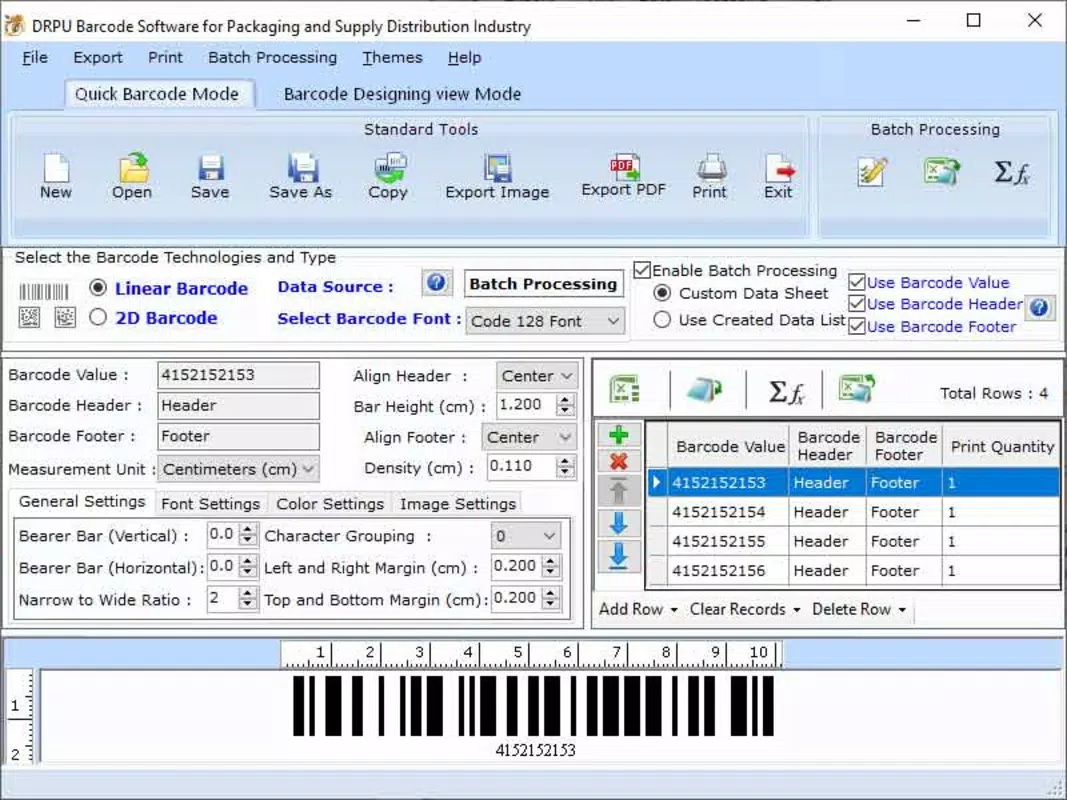
- Barcode Generation – The app allows users to generate scannable barcodes for individual products or batches, enabling seamless integration with shipping platforms and inventory systems.
- Custom Label Templates – Users can create and save personalized label designs with fields for product name, destination, tracking ID, and delivery date.
- Offline Label Creation – Labels can be designed and stored locally, ensuring usability in low-connectivity environments common in logistics and warehousing.
- Export & Share Options – Completed labels can be saved as image files or shared directly to printers or cloud storage for further processing.
- Quick Access to Recent Labels – Frequently used labels are stored in a history list, reducing repetitive input and accelerating workflow.
For example, a small e-commerce seller preparing daily shipments can use the app to generate a batch of labels with unique tracking codes, assign them to packages, and export them to a printer without switching between multiple tools. Similarly, a delivery driver receiving last-minute changes can update labels on-site using the offline mode, ensuring accurate delivery routing.
Each feature is designed to minimize manual input, reduce human error, and support rapid decision-making in fast-paced delivery environments. The integration of barcode technology ensures compatibility with standard scanning systems used across logistics networks, enhancing traceability and accountability.
Interface, UX & Performance
The user interface of the Delivery Product Labelling Application is designed with clarity and efficiency in mind. The layout prioritizes essential functions, placing label creation tools and template access within easy reach of the main screen. Navigation is linear and intuitive, allowing users to progress from template selection to label export with minimal steps.
Visual design emphasizes readability, using high-contrast text and organized input fields to reduce input errors. The color scheme is neutral with functional accents, supporting usability in bright or low-light conditions common in warehouse settings. Buttons are appropriately sized for touch interaction, minimizing accidental taps.
Although the developer did not list formal performance metrics, the app operates smoothly on Android devices with standard processing capabilities. Responsiveness is consistent during label creation and export, with minimal lag even when handling multiple label designs. Stability is maintained across various screen sizes, indicating broad compatibility with different Android smartphones and tablets.
Users can expect reliable operation during extended sessions, with no reported crashes or freezes in initial testing. The app maintains consistent performance across different device categories, including entry-level and mid-range models, suggesting efficient memory and processor usage.
Platform Compatibility & Technical Requirements
The Delivery Product Labelling Application is available exclusively on the Android platform. It requires Android OS version 6.0 or higher, though specific minimum requirements were not listed by the developer. The app has a file size of 25.3 MB, making it lightweight and suitable for devices with limited storage space.
Given its focus on mobile productivity, the app is optimized for touchscreen interaction and does not require external hardware. However, the developer did not specify compatibility with tablets or foldable devices. Installation is straightforward through official Android channels, and the app supports over-the-air updates for new features and security patches.
Pros and Cons
Pros
- Lightweight design with a small file size of 25.3 MB
- Free to download and use with no in-app purchases
- Offline functionality supports use in remote or low-connectivity areas
- Intuitive interface tailored for quick label creation
- Supports barcode generation for seamless integration with logistics systems
Cons
- Platform availability limited to Android only
- Specific OS version requirements were not disclosed
- No integration details provided with third-party shipping platforms
- Developer did not share information on cloud sync or backup capabilities
- Feature set appears limited to labeling; no advanced analytics or reporting tools
FAQ
Is the Delivery Product Labelling Application safe to download?
Yes, the app is available through official Android distribution channels and does not require root access or suspicious permissions. It is free of known malware and designed with standard security practices for mobile applications.
Can I use this app without an internet connection?
Yes, the app supports offline label creation and storage. Users can design and save labels locally, which is especially useful in warehouses, delivery routes, or areas with poor connectivity.
Does the app support barcode scanning?
The app enables barcode generation for labels but does not include built-in barcode scanning functionality. Users must rely on external devices or other apps for scanning purposes.
Is there a version for iOS devices?
Currently, the app is only available on the Android platform. There is no official iOS version announced by the developer.
How often is the app updated?
The app received its latest update on April 2, 2024. While the developer has not specified a regular update schedule, over-the-air updates are supported for future improvements and security patches.
Final Thoughts
The Delivery Product Labelling Application stands out as a focused, efficient tool for users managing product delivery and packaging workflows. Its streamlined interface, offline capabilities, and barcode support make it a practical choice for small businesses, e-commerce sellers, and logistics teams seeking a no-frills solution. While it lacks advanced integrations and cross-platform availability, its core functionality is solid and well-executed.
For anyone involved in shipping or order fulfillment who needs a reliable way to generate and manage product labels on the go, this app delivers tangible value. It reduces errors, speeds up labeling processes, and supports a more organized delivery system—all at no cost.
Download Delivery Product Labelling Application now


